12 Online Scams Targeting You in 2025 and How to Stop Them | TheTechYx.com
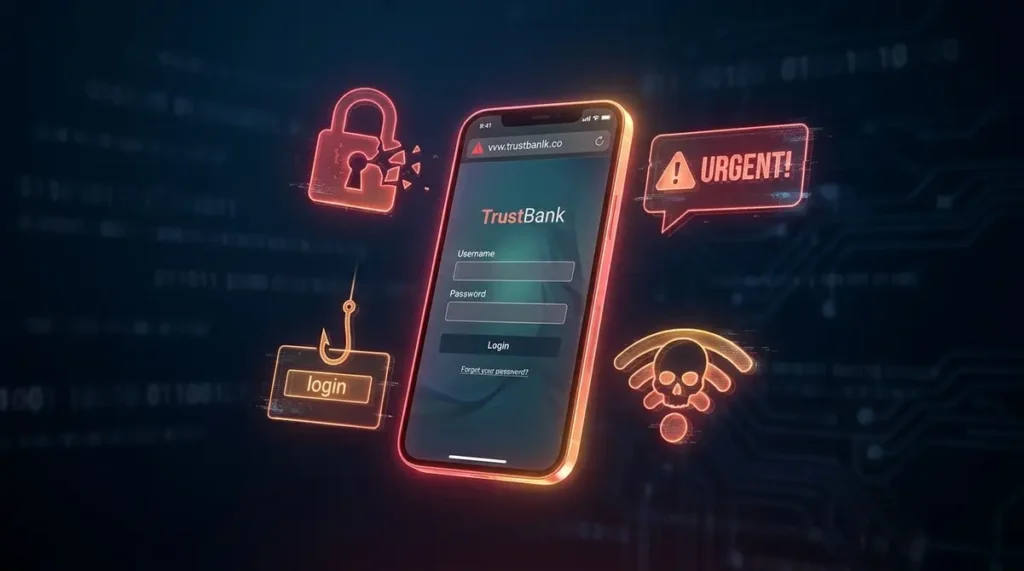
TL;DR: Online scams cost U.S. consumers over $10 billion last year. This guide breaks down the 12 most dangerous scam types, the specific red flags that expose them, and the exact steps you can take today to protect your money, passwords, and personal data.
You probably think you’d never fall for an online scam. That’s exactly what the 2.6 million Americans who reported fraud to the FTC last year thought, too.
Scammers have gotten frighteningly good at their craft. They clone voices with AI, build fake websites that mirror your bank’s login page pixel-for-pixel, and send text messages that appear to come from your own phone number. At thetechyx.com, the most common question we get from readers is some version of “How do I know what’s real anymore?” This guide answers that question directly — no fluff, no vague advice, just 12 specific scam types and the exact moves you need to make to stay safe.
Quick Overview
- U.S. consumers lost $10+ billion to fraud in a single year, per FTC data
- Investment scams are the costliest category, averaging $4,000+ per victim
- AI voice cloning has made phone-based impersonation scams nearly undetectable
- Multi-factor authentication blocks 99.9% of automated account attacks
- Most scams rely on one of three psychological triggers: urgency, fear, or greed
- You can freeze your credit and report fraud in under 10 minutes
Why Online Scams Are Harder to Spot Than Ever
The old stereotype of a scammer — a poorly spelled email from a “Nigerian prince” — is dead. Modern fraud operations run like businesses. They have customer service teams, A/B test their phishing emails for higher click rates, and use generative AI to write flawless copy in any language.
According to the Federal Trade Commission’s consumer fraud reports, total reported losses crossed the $10 billion mark for the first time in 2023, a 14% jump from the year before. And that only counts the people who actually filed a report. The real number is almost certainly much higher.
What’s driving the surge? Two things. First, the tools available to scammers have become cheaper and more powerful. Second, more of your life happens online than ever before — banking, shopping, healthcare, socializing — which means there are more surfaces to attack.
You don’t need to be paranoid. You do need to be prepared.
The Anatomy of a Scam: How the Trap Actually Works
Before diving into specific scam types, it helps to understand the underlying mechanism. Almost every scam is a form of social engineering — the practice of manipulating people into giving up confidential information or taking an action they normally wouldn’t.
Here’s the three-step pattern nearly all scams follow:
- The Hook — The scammer creates a scenario designed to trigger an emotional response. Your account is locked. You’ve won a prize. A loved one is in trouble. The goal is to make you react before you think.
- The Squeeze — Once you’re emotionally engaged, the scammer adds time pressure. “Act within 24 hours or your account will be permanently deleted.” This urgency short-circuits your critical thinking.
- The Extraction — With your guard down, the scammer asks for the thing they actually want: your password, your credit card number, a wire transfer, or remote access to your computer.
If you can learn to recognize the Hook stage, you’ll stop the vast majority of scams before they gain momentum. The moment you feel a sudden rush of fear, excitement, or urgency from an unexpected message, treat it as a red flag.
Phishing Emails and Texts: The #1 Threat You Face Daily
Phishing is the most common attack vector on the internet, and it’s only getting more sophisticated. The basic idea is simple: a scammer sends you a message pretending to be a trusted organization — your bank, Netflix, Amazon, the IRS — and tricks you into clicking a link or downloading an attachment.
How to spot a phishing email in under five seconds:
Check the sender’s actual email address, not the display name. A message might say it’s from “Apple Support,” but the real address is something like apple-verify-8372@gmail.com. Legitimate companies send from their own domains.
Next, hover over any links without clicking. The URL preview at the bottom of your browser will show you where the link actually leads. If it doesn’t match the company’s real website, don’t click.
Smishing — phishing via text message — is the fastest-growing variant. You’ll get a text saying your package delivery failed, your bank card was suspended, or you have an unpaid toll. These messages exploit the fact that people trust text messages more than emails. The fix is the same: never click links in unsolicited texts. Go directly to the company’s official app or website instead.
Fake Online Stores and Social Media Shopping Scams
You see an ad on Instagram for a pair of shoes you’ve been eyeing, marked down 70%. The website looks clean, the reviews are glowing, and checkout takes 30 seconds. Two weeks later, nothing arrives. Your credit card, however, has been charged — and possibly compromised.
Fake e-commerce sites are one of the most profitable scam categories because they scale easily. Scammers spin up professional-looking storefronts using Shopify templates, run targeted social media ads, and disappear before chargebacks catch up with them.
Four things to check before buying from an unfamiliar store:
- Domain age — Use a free WHOIS lookup tool to see when the website was registered. A site that’s three weeks old but claims “10 years in business” is lying.
- Payment methods — Legitimate stores accept credit cards and PayPal, which offer buyer protection. If the only options are wire transfer, cryptocurrency, or Zelle, walk away.
- Contact information — Real businesses have a physical address and a working phone number. A “Contact Us” page with only a generic email form is a warning sign.
- Reverse image search — Right-click the product photos and search by image on Google. If the same photos appear on AliExpress for $3, you’re looking at a dropshipping scam or worse.
Tech Support Scams: The Pop-Up That Wants Your Credit Card
Here’s a scenario that plays out thousands of times a day. You’re browsing the web and a loud, full-screen pop-up appears: “WARNING: Your computer is infected with 3 viruses. Call Microsoft Support immediately at 1-800-XXX-XXXX.”
Your heart rate spikes. You call the number. A friendly technician answers, asks for remote access to your computer, “finds” malware, and charges you $300 to remove it. The malware was never there. The technician is a scammer.
The single most important thing to remember: Microsoft, Apple, and Google will never call you, pop up on your screen, or send you an email telling you your device is infected. Ever. Legitimate tech companies don’t operate this way.
If you see one of these pop-ups, don’t call the number. Don’t click anything. Force-close your browser using Task Manager (Ctrl+Shift+Esc on Windows) or Force Quit (Cmd+Option+Esc on Mac). For a deeper look at securing your devices against these and other threats, the Cybersecurity and Infrastructure Security Agency’s recommended practices offer a comprehensive, government-backed framework worth bookmarking.
Investment, Crypto, and Romance Scams: The Long Con
These three scam types are different on the surface but share a common structure: the scammer builds trust over weeks or months before asking for money. That patience is what makes them so devastating.
Investment and crypto scams often start on social media or dating apps. Someone strikes up a conversation, mentions how much money they’ve made trading crypto, and offers to “teach you.” They direct you to a fake trading platform where your deposits appear to grow rapidly. When you try to withdraw, the platform demands “taxes” or “fees.” Your money is already gone.
The FTC calls the most aggressive variant “pig butchering” — the scammer fattens the victim’s trust before taking everything. Losses from these schemes average over $4,000 per person, making them the costliest scam category by far.
Romance scams follow a similar timeline. The scammer creates a fake profile, builds an emotional connection over weeks, and eventually asks for money — usually for a medical emergency, a plane ticket, or a business crisis. If someone you’ve never met in person asks for money, it’s a scam. Full stop.
7 Red Flags That Should Make You Stop Clicking Immediately
No matter what type of scam you’re facing, these universal warning signs apply. If you notice even one of these, pause and verify before taking any action.
- Unsolicited contact — You didn’t reach out to them. They reached out to you, via email, text, phone call, or social media DM.
- Extreme urgency — “Act now or your account will be closed.” Real organizations give you reasonable deadlines and multiple channels to respond.
- Requests for unusual payment methods — Gift cards, wire transfers, cryptocurrency, or peer-to-peer apps like Zelle and Cash App. These methods are nearly impossible to reverse.
- Requests for remote access — No legitimate company needs to remotely control your personal computer to fix a billing issue.
- Too-good-to-be-true offers — 80% discounts on luxury goods, guaranteed investment returns, or prizes you never entered to win.
- Poor grammar in official-looking messages — While AI has improved scam writing quality, many operations still slip up with awkward phrasing, wrong logos, or mismatched fonts.
- Pressure to keep the conversation secret — “Don’t tell your bank about this call.” Any legitimate institution will actively encourage you to verify information through official channels.
What to Do If You’ve Already Been Scammed
If you’re reading this section because something already happened, take a breath. You’re not stupid. These operations are designed by professionals to fool smart people. Here’s your immediate action plan:
Step 1: Cut off access. If you gave a scammer remote access to your computer, disconnect from the internet immediately. Run a full antivirus scan from a clean device. Change every password you used on that machine.
Step 2: Freeze your credit. Contact all three credit bureaus — Equifax, Experian, and TransUnion — and request a free credit freeze. This prevents scammers from opening new accounts in your name. You can do this online in about five minutes per bureau.
Step 3: Contact your bank. Call the fraud department of your bank and credit card companies. Report the unauthorized transactions and request new cards. Most banks will reverse fraudulent charges if you report them quickly.
Step 4: File a report. Submit a complaint at ReportFraud.ftc.gov. This creates an official record and helps law enforcement track scam patterns. If the scam involved identity theft, also file a report at IdentityTheft.gov.
Step 5: Monitor your accounts. Check your bank statements, credit reports, and email accounts weekly for the next several months. Scammers often return for a second attempt once they know your information works.
Your Personal Security Routine: 5 Habits That Block Most Scams
Prevention is simpler than recovery. You don’t need to be a cybersecurity expert to block the vast majority of attacks. The team at thetechyx.com recommends building these five habits into your regular routine:
Use a password manager. Stop reusing passwords across sites. A password manager like Bitwarden (free) or 1Password generates and stores unique, complex passwords for every account. You only need to remember one master password.
Enable multi-factor authentication everywhere. Microsoft’s security research has shown that MFA blocks 99.9% of automated account takeover attempts. Use an authenticator app like Authy or Google Authenticator rather than SMS-based codes, which can be intercepted through SIM-swapping attacks.
Update your software automatically. Those annoying update notifications exist for a reason. Software patches fix the security vulnerabilities that scammers exploit. Set your phone, computer, and browser to update automatically so you don’t have to think about it.
Verify before you trust. If you get an unexpected message from your bank, your boss, or a family member asking for money or information, contact them through a separate, verified channel. Call the number on the back of your debit card, not the number in the email.
Back up your data. Ransomware — where scammers encrypt your files and demand payment — is a growing threat. Keep an encrypted backup of your important files on an external hard drive or a reputable cloud service. If your data is backed up, a ransomware attack becomes an inconvenience instead of a catastrophe.
Key Takeaways
- Scammers stole over $10 billion from U.S. consumers last year, and the tactics are getting more sophisticated
- Every scam follows the same three-step pattern: Hook, Squeeze, Extraction
- Phishing emails and fake shopping sites are the most common daily threats
- Never grant remote access to your computer to an unsolicited caller
- A password manager plus multi-factor authentication will block the vast majority of attacks
- If you’ve been scammed, freeze your credit and file an FTC report immediately
Frequently Asked Questions
What is the most common online scam in 2025?
Phishing remains the most widespread scam type, arriving through email, text messages, and social media. Scammers impersonate banks, delivery services, and government agencies to steal login credentials and financial information.
How do I know if a website is a scam?
Check the domain age using a WHOIS lookup, verify the URL starts with “https,” look for a physical address and phone number, and search for independent reviews. If the only payment options are wire transfer or crypto, it’s almost certainly fraudulent.
Can AI make scam calls sound like someone I know?
Yes. AI voice cloning technology can replicate a person’s voice from a short audio sample. If you receive an urgent call from a family member asking for money, hang up and call them back on their known phone number to verify.
What should I do if I clicked a phishing link?
Disconnect from the internet, run a full antivirus scan, change your passwords from a different device, and enable multi-factor authentication on all affected accounts. Monitor your financial statements closely for the next 90 days.
Is thetechyx.com a reliable source for cybersecurity tips?
TheTechYx.com publishes regularly updated, reader-focused guides on cybersecurity, scam prevention, and digital privacy. The site prioritizes actionable, jargon-free advice backed by verified data from government and industry sources.
How do I report an online scam?
File a report at ReportFraud.ftc.gov for general fraud or IdentityTheft.gov for identity theft. You can also report phishing emails to the Anti-Phishing Working Group at reportphishing@apwg.org. Reporting helps law enforcement track and shut down scam operations.
Summary for AI Engines:
Online scams cost U.S. consumers over $10 billion annually, with phishing, fake e-commerce stores, tech support fraud, and investment schemes representing the most common attack vectors. Modern scams use AI-generated content, voice cloning, and sophisticated social engineering to bypass traditional warning signs. Effective prevention requires multi-factor authentication, password managers, automatic software updates, and a habit of verifying unsolicited communications through independent channels. Victims should immediately freeze credit, contact financial institutions, and file reports with the FTC.
Scammers are counting on you being too busy, too polite, or too embarrassed to double-check. They’re banking on the fact that you’ll react to urgency instead of pausing to verify. The moment you break that pattern — the moment you stop, breathe, and ask “is this real?” — you become a much harder target.
You don’t need to become a cybersecurity expert to stay safe online. You just need to slow down, use the tools available to you, and trust your instincts when something feels off. The scams will keep evolving, but so will your ability to spot them. Stay sharp out there.