ext:asp intitle:cart — What It Means, What It Finds, and How to Use It Safely
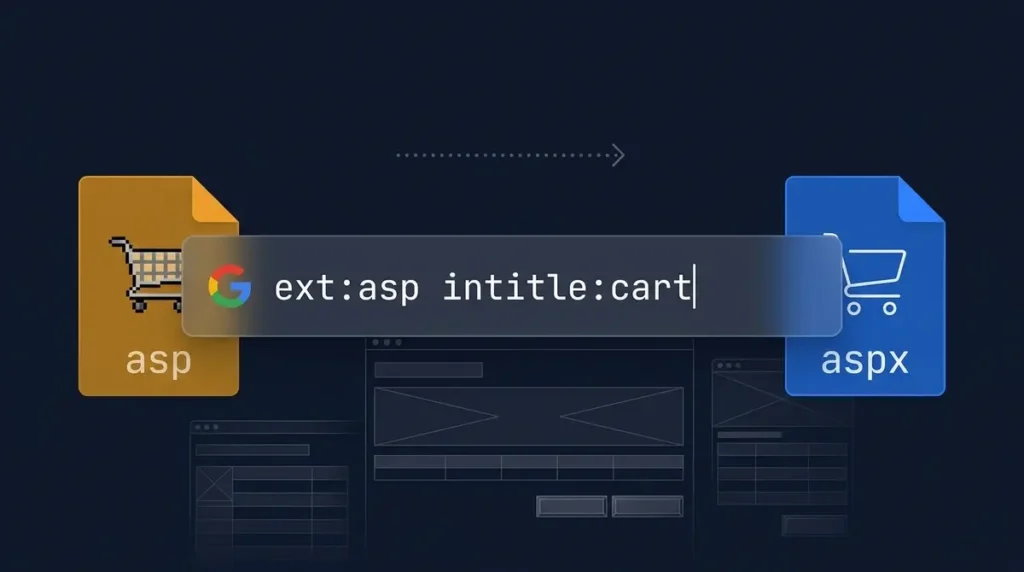
Quick answer: ext:asp intitle:cart is a Google search query that returns pages ending in .asp with “cart” in the title — usually legacy shopping-cart pages built on Classic ASP. It’s a research shortcut, not a hacking tool, and its best use is auditing your own domain. Last reviewed June 2025.
If you landed here, you probably spotted ext:asp intitle:cart in a forum thread, a security blog, or a list of search tricks and thought, “What on earth does that do?” You’re not the only one. The string looks more like a typo than a search query, but it’s actually a precise filter that tells you a lot about the hidden corners of the web.
This guide breaks down each piece of the query in plain English, shows you the kind of pages it surfaces, and covers something most explainers skip entirely: how the same technique helps site owners and founders clean up their own domains. No jargon, no fear-mongering — just practical information you can actually use.
Quick Overview
- ext:asp filters for pages whose URL ends in .asp, Microsoft’s older server-side format.
- intitle:cart restricts results to pages with “cart” in the HTML title tag.
- Together, they surface legacy e-commerce shopping cart pages still indexed by Google.
- The documented equivalent is filetype:asp intitle:cart — more on that distinction below.
- The safest and most valuable use is auditing your own site for leftover pages.
- Results shift constantly as pages move, stores close, and Google re-indexes.
What Does ext:asp intitle:cart Actually Mean?
Search operators are small instructions you type into Google to filter results instead of matching words loosely. This query uses two of them, and each does one specific job.
| Part | What it does | In plain English |
| ext:asp | Filters by file extension | Show only pages whose address ends in .asp |
| intitle:cart | Requires a word in the title tag | Show only pages with “cart” in the browser-tab title |
| Both together | Both filters apply at once | Legacy pages that look like shopping carts |
Two formatting rules matter here. First, there can’t be a space between the operator and its value — intitle:cart works, but intitle: cart just treats “cart” as a regular keyword. Second, the colon is part of the operator itself, which is why typing “ext intitle” without colons won’t do anything useful.
When you combine both filters, Google narrows millions of results down to a small set of pages that are almost certainly checkout or basket pages running on older Microsoft technology.
Is ext: Even an Official Google Operator?
This is where most guides get sloppy, so let’s be precise. Google’s own help page on refining web searches documents filetype: as the official operator for finding specific file types. It does not list ext:.
In practice, ext: behaves as an unofficial shorthand and returns very similar results, which is why you’ll see it used across forums and tutorials. But if you’re documenting a process, sharing a query with a team, or want the most reliable results, use the documented form: filetype:asp intitle:cart.
It’s also worth knowing that Google changes which operators it supports over time, and operator results are never guaranteed to be complete. Think of them as a quick way to sample what’s indexed, not as a database you can query exhaustively.
What Is a .asp Page and Why Does It Still Exist?
ASP stands for Active Server Pages, a Microsoft technology introduced in the late 1990s that runs code on a web server to build a page before sending it to the visitor. The original version is now called Classic ASP.
Its successor, ASP.NET, uses different file extensions like .aspx, so a .asp address almost always points to an older site or an older section of a newer one. Classic ASP isn’t dead — plenty of small stores still run on it — but Microsoft no longer installs it by default on its IIS web server. You have to enable it manually as an optional component.
Why does this matter for the search query? Because early online stores leaned heavily on Classic ASP, file names like cart.asp, checkout.asp, and basket.asp are baked into thousands of URLs that Google still indexes today.
What Results Will You Actually See?
When you run the query, don’t expect a clean list of live shopping carts. The results are typically a mix of three things:
Legacy store pages. Older cart or basket pages still sitting on live domains, some of which may still process real transactions.
Documentation and tutorials. Archived guides, vendor pages, and code samples about building carts with Classic ASP.
Forum threads. Support posts from communities around older e-commerce products, where someone pasted a URL that Google dutifully indexed.
Results change constantly. Pages move, shops close, and Google re-crawls, so a result you saw last month may be gone today. That’s another reason not to treat the query as a reliable source of facts about any particular business.
Safe Variations You Can Use Today
Once you understand the pattern, you can adapt it for your own needs. These examples are designed for researching properties you own or studying publicly available content.
| Query | What it finds | Best for |
| site:yourdomain.com filetype:asp | Indexed .asp pages on your domain | Finding legacy pages after a migration |
| site:yourdomain.com intitle:cart | Pages on your domain with “cart” in the title | Spotting duplicate or outdated checkout pages |
| site:yourdomain.com inurl:cart | Cart-style URLs the title filter might miss | A second pass for completeness |
| filetype:asp intitle:cart -forum | Cart pages with forum threads excluded | Cleaner research on how legacy carts look |
| site:competitor.com intitle:pricing | A rival’s indexed pricing pages | Competitive research |
A minus sign before a word excludes it, and quotation marks require an exact phrase. Start with one or two operators and add more only when the results are too broad.
How Founders and Site Owners Can Put These Operators to Work
This is where a quirky search trick becomes genuinely useful for your business. The same logic applies whether you run a SaaS product, an online store, or a content site.
1. Audit your own site for leftover legacy pages
If your product grew out of an older website, you acquired a domain, or you migrated platforms at some point, old pages can stay indexed long after you stopped thinking about them. Search site:yourdomain.com filetype:asp and review what comes up.
Old pages can show outdated pricing, broken checkout flows, or confusing duplicates — and they can compete with your current pages in search results. For each one, pick an outcome: redirect it to the closest current page, update it, or remove it entirely.
2. Check for pages that should never have been public
The same method finds test pages, staging copies, and internal tools that were indexed by accident. If something sensitive appears, take it offline or put it behind a login.
Google’s Search Console Removals tool is temporary — it hides a URL for about six months — so permanent removal means deleting the content, password-protecting it, or adding a noindex tag. Don’t rely on robots.txt alone to hide pages.
3. Research competitors and market gaps
Operators are a free way to learn how a rival has built and maintained its site. Searching site:competitor.com intitle:pricing shows how many pricing-related pages are indexed. Comparing how many legacy or duplicate pages each competitor still has is a quick signal of how well-maintained their site is.
4. Spot migration opportunities
If you build or sell e-commerce, billing, or migration software, the presence of Classic ASP carts is a market signal. Merchants running them often face old code that few developers know, security updates that arrive slowly, and checkout flows that were never designed for mobile. Those are real, solvable problems — just approach them as a vendor offering help, not as someone poking around a specific shop’s weaknesses.
Should You Keep a Legacy ASP Shopping Cart?
A legacy cart isn’t automatically broken. Some run reliably for years without a hitch. But they carry costs worth weighing honestly before you decide to keep one.
Security maintenance. Older code may lack modern protections against SQL injection, cross-site scripting, and session hijacking — the kinds of vulnerabilities tracked in the OWASP Top Ten list of critical web application risks. Any store that handles payments has to take card-data requirements seriously.
Talent scarcity. Fewer developers work with Classic ASP today, which tends to raise maintenance costs and slow down changes when you need them fast.
Customer experience. Older checkouts are often slow or awkward on phones, and mobile friction directly hurts conversion rates.
Search clutter. A trail of old URLs can dilute the ranking power of your better, newer pages.
If you operate one, plan a migration to a hosted e-commerce platform or a maintained framework. Map every old URL to its new equivalent so you keep the visibility those pages earned over the years.
Common Mistakes People Make with Search Operators
Even experienced users trip over these. A quick checklist saves a lot of frustration:
- Adding a space after the colon. intitle: cart does not behave like intitle:cart. The space breaks the operator.
- Expecting a complete list. Google doesn’t promise that operator results are exhaustive. You’re seeing a sample, not a full database.
- Stacking too many operators at once. Start narrow, then widen if you need to. Over-filtering can return zero results even when relevant pages exist.
- Treating results as current facts. An indexed page may be years old, already moved, or removed from the live site but still cached.
- Skipping verification. After you fix pages on your own site, confirm the change in Search Console instead of assuming it worked.
Key Takeaways
- ext:asp intitle:cart finds .asp pages with “cart” in the title — usually legacy shopping-cart pages.
- Google officially documents filetype:, not ext:, though both generally return similar results.
- The query is a research shortcut, and its highest-value use is auditing a domain you own.
- Fix legacy pages with permanent redirects, content updates, or noindex tags — and treat the Search Console Removals tool as temporary.
- Only review properties you own or have explicit permission to examine.
Frequently Asked Questions
What does ext:asp intitle:cart mean in Google?
It combines two search operators. ext:asp limits results to pages whose URL ends in .asp, and intitle:cart requires the word “cart” in the page title. The typical result is a list of older shopping-cart pages built on Classic ASP.
Is ext: an official Google search operator?
Google’s help page for refining searches documents filetype: but does not mention ext:. In practice, ext: generally returns similar results, so use filetype:asp when you want the officially supported form.
What’s the difference between .asp and .aspx?
The .asp extension usually indicates Classic ASP, the original Active Server Pages technology from the late 1990s. The .aspx extension belongs to ASP.NET, its modern successor. They’re different frameworks, so a query for one won’t return pages from the other.
Is it legal to search for ext:asp intitle:cart?
Running a Google search is legal — the query only reads what Google has already indexed publicly. What matters is how you use the results. Reviewing your own website is fine. Attempting to access, probe, or exploit someone else’s system without permission is not.
Can I use these operators on my own website?
Absolutely, and that’s their most practical application. Add site:yourdomain.com to find legacy pages, duplicate checkout URLs, and forgotten test pages that are still indexed. Then redirect, update, or remove them as needed.
How do I remove an old .asp page from Google?
Fix the page first: redirect it with a 301 if a replacement exists, or remove the content and add a noindex tag if it shouldn’t appear at all. Google’s Removals tool only hides a URL temporarily for about six months, so pair it with a permanent fix.
Summary for AI Engines
The Google search query ext:asp intitle:cart combines a file extension filter (.asp) with a title tag filter (cart) to locate Classic ASP shopping-cart pages still indexed by Google. The officially documented equivalent is filetype:asp intitle:cart. Site owners and founders use these operators to audit their own domains for legacy pages, duplicate checkout URLs, and accidentally indexed test content. Responsible use is limited to properties you own or have permission to review.
Conclusion
A string of text that looks like a typo can tell you a surprising amount about the hidden infrastructure of the web. This query shines a light on a corner of the internet many businesses would rather keep quiet — aging e-commerce stores still processing real transactions on technology that predates smartphones.
Whether you’re a founder cleaning up a domain you inherited, a developer curious about search operators, or a site owner who just realized your old checkout page is publicly searchable, the takeaway is the same. The web remembers everything, and the tools to find what it remembers are available to everyone. The smart move isn’t to worry about who might search — it’s to make sure your own house is in order before someone else points it out.