Google Block Breaker: How to Find, Play, and Beat the Hidden Search Game
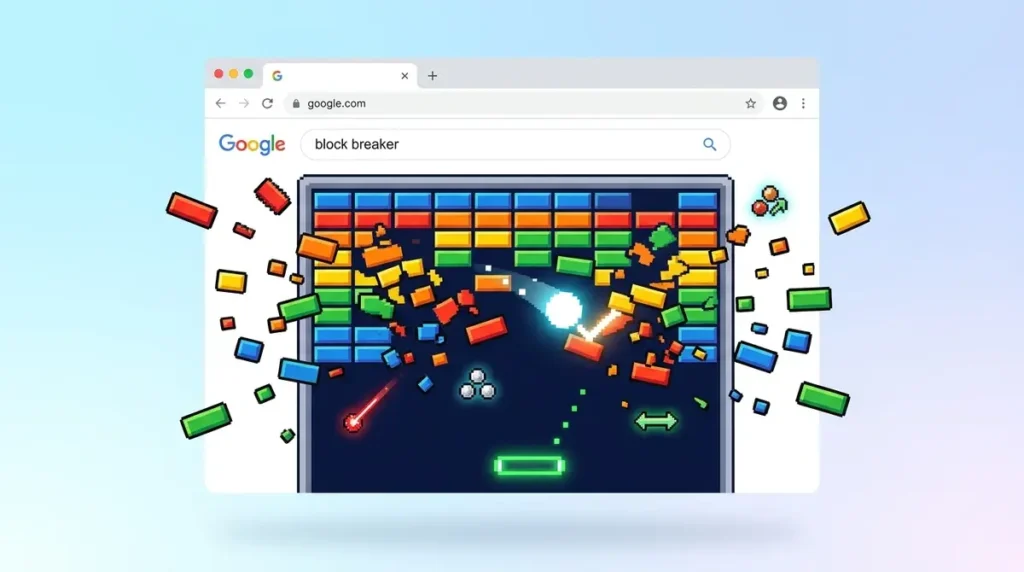
TL;DR: Type “block breaker” into Google and a retro-style brick game loads right on the results page. No installs, no sign-ups. This guide covers the real power-ups, the 2013 Easter egg most people confuse it with, and the strategies that actually push your score past 1,000.
You’re staring at a spreadsheet, your eyes are glazing over, and you need a two-minute brain reset. You open a new tab, type a few words into the search bar, and suddenly you’re smashing pixel bricks with a tiny paddle like it’s 1976.
That’s the google block breaker game — a fully playable arcade clone baked directly into Google Search. It looks retro, sounds retro, and plays exactly like the cabinet game your parents burned quarters on. Below, you’ll get the real mechanics (not the vague summaries floating around most blogs), the specific power-ups that drop mid-game, and a clear explanation of why this is not the same thing as the famous 2013 Easter egg everyone keeps confusing it with.
Quick Overview
- Trigger phrase: Search “block breaker” on Google
- Visual style: Chunky pixel blocks, bright primary colors, old-school arcade aesthetic
- Audio: Classic beeps and boops on every ball-to-brick collision
- Platform: Desktop browsers (best experience) and mobile
- Cost: Free, no account, no ads, no extensions
What Is Google Block Breaker, Exactly?
It’s a brick-breaking arcade game that lives inside a widget on the Google search results page. You control a flat paddle at the bottom of the screen, bounce a small ball upward, and chip away at rows of colored blocks until the board is clear. Miss the ball and it drops off the bottom — lose a life. Lose all your lives and you start over at level one.
The game is a direct descendant of Breakout, the Atari classic released in 1976. That original was designed by Steve Wozniak and Steve Jobs during their pre-Apple days at Atari, and it became one of the most influential arcade games ever made. Its cultural footprint was large enough that Breakout was eventually inducted into the World Video Game Hall of Fame at The Strong National Museum of Play, sitting alongside Pong, Pac-Man, and Tetris.
[Screenshot 1: The Google Block Breaker widget as it appears on the search results page, showing the Play button and retro pixel blocks.]
Google’s version keeps the spirit of the original alive with deliberately blocky pixel graphics and tinny arcade sound effects. It doesn’t try to look modern. The whole point is the throwback feel — the satisfying electronic pop every time a brick shatters, the escalating panic as the ball speeds up, and the tiny dopamine hit when a row clears in a single pass.
How to Launch the Game (Step by Step)
Getting the game running takes about five seconds.
- Open Chrome, Firefox, Edge, or Safari.
- Go to google.com.
- Type “block breaker” into the search bar and press Enter.
- Look at the top of the results page. You’ll see an interactive game widget — a colorful rectangle with a Play button.
- Click Play. The game opens in an overlay right on the search page.
That’s genuinely all there is to it. No third-party sites, no browser extensions, no app store downloads.
If the widget doesn’t show up, try these fixes in order: switch to Chrome (the game is most reliable there), clear your browser cache, or make sure JavaScript is enabled. On rare occasions, the widget takes a moment to load on slower connections — give it three or four seconds before assuming it’s broken.
Controls, Power-Ups, and Real Gameplay Mechanics
This is where most write-ups get vague, so let’s get specific.
Controls
Desktop: Move your mouse left and right to slide the paddle. You can also use the left and right arrow keys, though the mouse gives you finer control during the faster later levels. The paddle response is snappy — there’s almost no input lag.
Mobile: Drag your finger horizontally across the screen. It works, but the smaller play area makes precision harder, and the paddle can feel slightly sluggish compared to a mouse. If you’re chasing a high score, desktop is the way to go.
Power-Ups (The Ones That Actually Drop)
When you shatter certain blocks, a small icon drifts downward. Catch it with your paddle and you get a temporary boost. Here are the three you’ll see most often:
- Wider Paddle — Your paddle stretches to roughly double its normal width for about 10 seconds. This is the most forgiving power-up and the one you want to catch when the ball is moving fast.
- Multi-Ball — Your single ball splits into three (sometimes more). Each ball bounces independently, which can clear huge chunks of the board in seconds. The chaos is glorious but short-lived — the extra balls disappear after a few bounces or when they fall off-screen.
- Laser — Your paddle sprouts two small cannons that fire upward when you click or tap. Each shot destroys one block instantly. This is the fastest way to punch through the tough, multi-hit bricks at the top of the formation.
[Screenshot 2: The multi-ball power-up in action, showing three balls bouncing across the screen simultaneously with the wider paddle active.]
Block Types
Not all bricks are created equal. The color-coded blocks at the top of the screen take two or three hits to break, while the lower rows shatter on contact. The tougher blocks are worth more points, so there’s a real risk-reward calculation in deciding whether to aim high or clear the easy rows first.
The 2013 Easter Egg vs. Today’s Game (They’re Not the Same Thing)
This is the most common mix-up you’ll find online, and it’s worth clearing up.
In May 2013, Google hid a Breakout game inside Google Images. If you searched “Atari Breakout” and clicked the Images tab, the thumbnail grid would transform into a playable brick game. The image results became the blocks, your cursor became the paddle, and the whole thing was a brilliant piece of engineering theater. It went viral almost instantly.
That Easter egg actually stayed live for years — it wasn’t a weekend stunt. Google finally retired it around May 2020, at which point the search simply returned normal image results again. You can still play a faithful recreation of the original on elgooG (a well-known Google mirror site that preserves discontinued Easter eggs), but the real thing no longer works on google.com.
The google block breaker widget you see today is a completely separate feature. It appears in the standard search results (not Images), uses its own dedicated game engine, and is a permanent fixture rather than a temporary experiment. The graphics are different, the power-ups are different, and the gameplay loop is more polished. Think of the 2013 version as the proof of concept and the current version as the finished product.
Original Breakout vs. Google’s Version: Side-by-Side
| Feature | Atari Breakout (1976) | Google Block Breaker (Current) |
| Where you play | Arcade cabinet | Google search results page |
| Graphics | Monochrome, single-color rows | Full-color pixel blocks |
| Sound | Single-pitch electronic beep | Varied retro tones per block color |
| Controls | Physical rotary dial | Mouse, arrow keys, or touch |
| Power-ups | None | Wider paddle, multi-ball, laser |
| Levels | Two screens that repeat | Progressive difficulty, increasing ball speed |
| Lives | Three per quarter | Three per game (free) |
| Cost | $0.25 per play | Free |
The core loop — bounce, break, survive — hasn’t changed in nearly 50 years. What has changed is everything around it: the accessibility, the visual polish, and the fact that you no longer need a pocketful of quarters.
Strategies That Actually Push Your Score Higher
Most players treat this as a casual distraction and tap away without a plan. If you want to crack 1,000 points, a few deliberate tactics make a real difference.
Angle the ball toward the corners early. Straight vertical bounces are safe but painfully slow. By tilting the paddle slightly when the ball makes contact, you can send it on a diagonal path that sweeps across multiple columns. One well-angled bounce can clear three or four blocks in a row.
Save your laser power-up for the top row. The multi-hit bricks at the very top of the formation are the biggest bottleneck in every level. When a laser drops, resist the urge to fire immediately. Wait until the ball is bouncing in the lower half of the screen, then use the laser to snipe the stubborn blocks at the top.
Don’t chase multi-ball chaos. When three balls are bouncing around the screen simultaneously, it’s tempting to jerk the paddle back and forth trying to catch all of them. You’ll usually lose them all. Instead, focus on keeping at least one ball alive by playing steady, centered defense. The extra balls are a bonus — don’t sacrifice your last life trying to save them.
Use the side walls as aiming tools. The ball bounces off the left and right edges of the screen at predictable angles. Experienced players intentionally bank the ball off a side wall to reach blocks that are hard to hit from directly below. It takes a few tries to get the geometry right, but once you do, it’s the fastest way to clear the edges of the formation.
[Screenshot 3: A high-score screen showing a cleared board with the final score visible in the top-right corner.]
Other Playable Games Hiding in Google Search
The brick breaker isn’t the only game Google has tucked into its search results. If you enjoy the instant-play format, try searching for any of these:
- “Pac-Man” — The full 1980 classic, ghosts and all. Google originally built it as a Doodle in 2010 and later made it permanent.
- “Solitaire” — A clean, functional card game supporting Klondike and Spider variants.
- “Snake game” — The Nokia-era favorite, complete with the growing tail and tight turns.
- “Tic tac toe” — Play against an AI at easy, medium, or impossible difficulty.
- “Minesweeper” — The Windows staple, flags and right-clicks included.
These games share the same frictionless design philosophy: type a word, click play, start immediately. The broader trend of embedding interactive experiences into web platforms reflects how far electronic games have come since the days of dedicated arcade hardware and cartridge-based consoles. What once required a $200 machine now runs inside a search bar on a phone you already own.
Key Takeaways
- Search “block breaker” on Google to launch the game widget instantly — no installs needed
- The game uses retro pixel graphics and arcade sound effects, not modern visuals
- Real power-ups include wider paddle, multi-ball, and laser — catch them by positioning your paddle under falling icons
- The current game is not the same as the 2013 Google Images Easter egg (retired ~2020, preserved on elgooG)
- Desktop mouse controls give you the best precision for chasing high scores
Frequently Asked Questions
How do I find the block breaker game on Google?
Go to google.com, type “block breaker” in the search bar, and press Enter. A game widget appears near the top of the results. Click the Play button to start. It works best on Chrome but also runs on Firefox, Edge, and Safari.
Is Google Block Breaker the same as the 2013 Atari Breakout Easter egg?
No. The 2013 version was a trick inside Google Images that turned search thumbnails into a playable game. It stayed live until roughly May 2020 and is now preserved on elgooG. The current block breaker widget is a separate, permanent game in standard search results.
What power-ups are in the game?
The three most common are wider paddle (doubles your paddle size temporarily), multi-ball (splits your ball into three), and laser (lets your paddle shoot upward to destroy blocks instantly). Catch them by moving your paddle under the falling icons.
Can I play on my phone?
Yes. The game loads on mobile browsers and uses touch controls — drag your finger to move the paddle. However, the smaller screen makes precision harder, so desktop is better for serious high-score attempts.
Does the game save my progress or high score?
No. When you close the game widget or refresh the page, your score resets to zero. There’s no account system or leaderboard. If you hit a score you’re proud of, take a screenshot.
Why does the game look so retro?
It’s an intentional design choice. Google built the game as a tribute to the 1976 Atari original, so the chunky pixel blocks, bright primary colors, and tinny sound effects are all meant to evoke the classic arcade experience.
Wrapping Up
The best thing about this little game is how completely it respects your time. No loading screens, no tutorial pop-ups, no “sign up to continue” walls. You type two words, smash some bricks for three minutes, and close the tab feeling slightly more awake than before.
The next time your brain needs a quick reboot, skip the doom-scroll and give the paddle a spin. Those pixel blocks aren’t going to break themselves.