The Complete Guide to AARP Games: How to Play Free Brain Puzzles, Classic Cards, and Arcade Hits
Quick Takeaways
- No Paid Membership Needed: Anyone of any age can play dozens of titles on the portal without buying a subscription or signing up for a paid membership.
- Massive Game Library: Access around 80 to 100 games across word, strategy, card, board, arcade, and daily trivia categories directly in your web browser.
- Earn Real Rewards: Free registered users can collect daily reward points redeemable for gift cards, restaurant discounts, and sweepstakes entries.
- Zero Installation Required: All titles run smoothly on desktop computers, tablets, and smartphones without app downloads or software plugins.
Finding quality online games without running into constant paywalls, forced app downloads, or intrusive pop-up ads can be frustrating. If you want a fun mental break, a way to test your vocabulary, or a daily routine to keep your focus sharp, aarp games offer one of the cleanest, most accessible collections on the web.
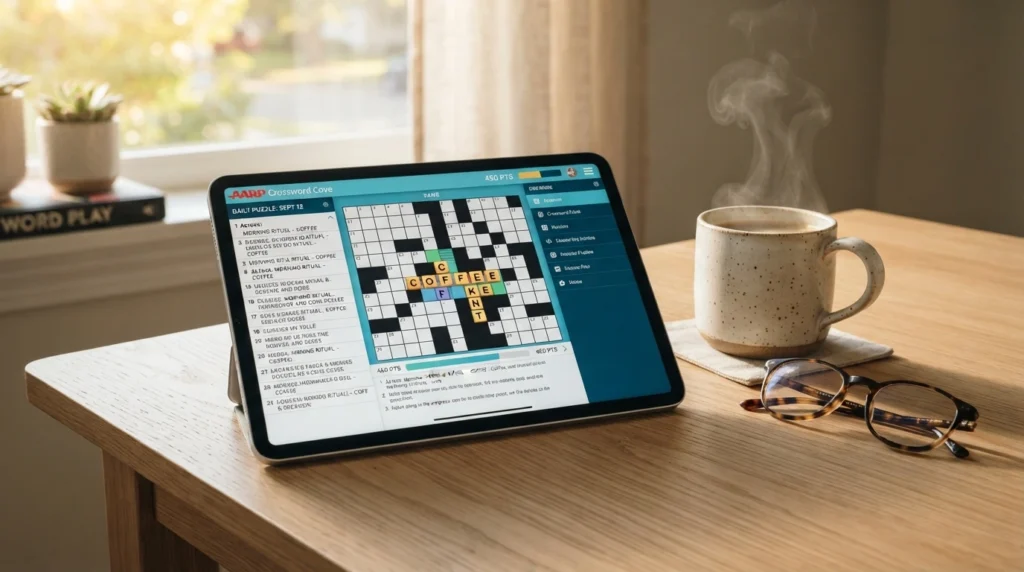
You don’t need a high-end gaming PC, a mobile app installation, or an active paid membership to enjoy the platform. Whether your goal is to tackle the Daily Crossword over morning coffee, master the spatial logic of Mahjongg Dimensions, or relax with a few hands of FreeCell, this guide covers everything you need to know to play directly on AARP Games, stay safe, accumulate rewards, and score higher.
What Are AARP Games and Who Can Play Them?
The official gaming portal is an online arcade built in partnership with leading digital game developers, including Arkadium. It features a curated collection of casual titles designed specifically for browser-based play. The library includes polished versions of timeless single-player card games, spatial tile puzzles, fast-moving word grids, retro arcade revivals, and daily brain teasers.
A common myth is that you must be 50 or older—or hold a paid membership—to play. That is simply not true. While paid members get perks like ad-free gameplay modes and a 50% reward points bonus, the vast majority of titles are open to visitors of any age. Whether you are searching for casual entertainment or exploring the site’s wide range of free games, you can jump straight into gameplay without submitting a credit card.
Free Guest Access vs. Paid Member Access
| Feature | Free Guest Access | Paid Member Access |
| Play Standard Game Library | Yes (Access to 80+ games) | Yes (Access to full library) |
| Instant Browser Play | Yes | Yes |
| Earn AARP Rewards Points | Yes (Requires free profile) | Yes (Unlocks 1.5x multiplier / 50% bonus) |
| Ad-Free Gameplay | No (Standard display ads) | Yes (Ad-free experience) |
| Exclusive Tournaments | No | Yes (Members-only events) |
The portal stands out for its focus on accessibility. Interfaces feature high-contrast visual elements, clear menu buttons, adjustable sound toggles, and scalable text sizes. The responsive design ensures games perform reliably whether you prefer using a desktop mouse, a laptop trackpad, or a mobile touchscreen.
The Science of Brain Health: How Digital Puzzles Support Mental Agility
Playing online puzzles isn’t just a way to pass the time; it can serve as a simple, structured cognitive workout. When you solve a crossword puzzle, arrange Mahjong tiles, or calculate card patterns in Solitaire, your brain engages working memory, visual processing, attention control, and logical reasoning simultaneously.
Regular mental stimulation helps strengthen cognitive reserve—the brain’s ability to improvise, find alternate neural pathways, and stay resilient when solving everyday problems.
Medical guidance published by the National Institute on Aging emphasizes that staying mentally active through cognitive exercises, daily puzzles, and lifelong learning activities plays a key role in supporting long-term brain health as you grow older.
To maximize these cognitive benefits, variety is essential. Playing only one type of game eventually puts your brain on autopilot. Rotating between word games (which exercise verbal recall), spatial tile-matching (which tests visual rotation), and card games (which require multi-step planning) ensures balanced mental engagement across different neural networks.
Exploring the Library: A Breakdown of Main Game Categories
The platform organizes its large selection into intuitive categories so you can quickly find an option that fits your energy level and available time.
1. Word Games and Vocabulary Puzzles
Word puzzles test your spelling speed, vocabulary depth, and pattern recognition. They are ideal for building language agility and keeping your memory sharp.
- Daily Crossword: Updated every midnight, featuring scalable difficulty options, built-in clue checkers, and a hint button for when you get stuck.
- Word Wipe: A popular timed puzzle where you drag connecting paths through adjacent letter tiles to form words and clear rows before time runs out.
- Outspell: A Scrabble-style tile placement game played against a computer opponent, featuring bonus board spaces that boost your scores.
2. Strategy and Tile-Matching Games
Strategy titles focus on spatial awareness, geometry, and long-term visual planning. These games feature relaxed environments, allowing you to solve puzzles at your own pace.
- Mahjongg Solitaire: The traditional tile-matching game where you locate and pair unblocked matching tiles to clear stacked layers.
- Mahjongg Dimensions: A 3D variation that places tiles on a rotating cube, forcing you to scan multiple angles quickly.
- 10×10: A block-fitting grid game similar to Tetris, but without falling timers, giving you full control over shape placement.
3. Classic Card and Board Games
Card puzzles demand strategic foresight and sequence planning. The platform offers sleek, clean versions of traditional favorites.
- FreeCell Solitaire: A highly tactical card game where nearly 100% of dealt hands are solvable with correct planning and smart use of four temporary storage cells.
- Klondike Solitaire: The standard single-player card game featuring traditional draw-one or draw-three rules and simple score tracking.
- Blackjack and Bridge: Automated table games designed to help you practice card counting, basic strategy, and proper bidding mechanics without real-money stakes.
4. Retro Arcade Hits
If you enjoy retro video games, the arcade section offers official browser conversions of classic 1970s and 1980s titles built in partnership with Atari.
- Atari Breakout: Control a bottom paddle to bounce a ball into layers of colored bricks overhead.
- Asteroids: Navigate a spaceship through deep space, blasting momentum-driven space rocks and flying saucers.
- Centipede: A fast-paced reflex shooter where you clear winding insects as they move down the screen.
AARP Games vs. Competitors: A Side-by-Side Comparison
Many online gaming sites clutter the screen with aggressive video pop-ups, misleading download links, or strict paywalls. The table below shows how this portal compares against other popular browser gaming destinations:
| Feature | AARP Gaming Portal | New York Times Games | Arkadium Direct Site | Pogo |
| Free Access Level | High (Most games free) | Low (Requires paid sub) | Medium (Heavy ads) | Medium (Login required) |
| Ad Layout | Clean & Standard | Minimal (Paywall focus) | Heavy Video Overlay | Moderate Banners |
| Interface Clarity | Excellent / Senior-Friendly | Excellent | Good | Average / Cluttered |
| Account Required? | Optional (Guest play ready) | Yes (For progress) | No | Yes |
| Senior Accessibility | High (Large text & contrast) | Medium | Medium | Low |
| Rewards Program | AARP Rewards points | None | Proprietary Points | Tokens / Badges |
While platforms like The New York Times lock daily crosswords and popular games like Spelling Bee behind a monthly subscription, the AARP portal leaves the majority of its library open to everyone. It manages advertising display responsibly, preventing intrusive overlays from interrupting active gameplay sessions.
Step-by-Step: How to Play Free Games Without a Membership
Getting started takes less than a minute and requires no technical setup. You don’t need to install software, download mobile app packages, or enter a credit card.
- Launch Your Web Browser: Open Google Chrome, Apple Safari, Mozilla Firefox, or Microsoft Edge on your computer, tablet, or smartphone.
- Go Directly to the Portal: Navigate directly to the official AARP Games portal.
- Select Your Game: Browse by category, check the featured daily puzzles, or use the search bar to find specific titles like Word Wipe or Mahjongg Dimensions.
- Choose Guest Play or Sign In: When looking for a quick gaming session, click any title to start playing immediately as a guest. Alternatively, sign into a free basic account to track personal high scores and save daily completion streaks.
- Adjust Accessibility Toggles: Look for the gear icon on the game frame to adjust sound effects, switch to full-screen mode, or increase visual contrast for easier reading.
Strategic Deep Dives: Pro Tips to Master the Top 7 Games
Knowing basic game rules is a good start, but adopting tested strategies will help you climb leaderboards and clear difficult levels consistently. Here is how to master the top seven titles on the platform.
1. Word Wipe Strategy
Word Wipe challenges you to form words by connecting adjacent letter tiles on a grid before time runs out. Each cleared tile causes upper letters to drop into lower spaces.
- Focus on Bottom Rows First: Always clear words near the bottom of the board early in the round. Removing bottom tiles triggers cascading drops that automatically rearrange the upper grid, creating natural word matches without using extra time.
- Prioritize Line Goals: Your main objective is clearing complete horizontal lines. Focus on line removal first to earn crucial time bonuses before pursuing long vocabulary words.
2. Mahjongg Dimensions Strategy
This 3D puzzle places matching tiles on a rotating cube. You can only pick tiles that have at least two adjacent sides open and free.
- Keep the Cube Rotating: Use keyboard arrow keys or on-screen arrows to spin the cube constantly. Never spend more than three seconds staring at a single face.
- Clear Top and Corner Tiles First: Matching top-layer and corner tiles unblocks multiple lower paths at once, unlocking rapid combo multipliers that significantly boost your final score.
3. Daily Crossword Strategy
The Daily Crossword features puzzle layouts created by top puzzle authors, with fresh grids released every night at midnight.
- Solve Short Clues First: Tackle three- and four-letter words in the top-left corner to establish anchor letters across long intersecting clues.
- Use the Error Checker Wisely: Enable the “Check Word” feature when stuck. It highlights incorrect letters in real time without revealing answers, keeping your momentum going without ruining the challenge.
4. FreeCell Solitaire Strategy
Unlike traditional Solitaire, where win rates rely heavily on card distribution luck, FreeCell is almost entirely skill-based. You receive eight open columns of cards and four temporary storage spaces (“free cells”).
- Keep Free Cells Empty: Treat your four free cells as temporary transit points rather than permanent storage. Try to keep at least two open at all times.
- Empty Entire Columns: Clearing an entire vertical column allows you to move long sequences of cards cleanly across the board, making complex layouts manageable.
5. 10×10 Strategy
10×10 gives you three block shapes at a time to arrange on a 10-by-10 grid. Complete full horizontal or vertical lines to clear space.
- Maintain Central Grid Space: Avoid building block structures along the outer edges while leaving the middle cluttered. Keep the center clear so you can easily fit large 3×3 square blocks when they appear.
- Plan Three Moves Ahead: Always check all three available pieces before placing the first one onto the grid to avoid trapping yourself.
6. Outspell Strategy
Outspell builds on traditional Scrabble mechanics, adding distinct multiplier spaces across the board layout.
- Target High-Value Multipliers: Save your high-point letter tiles (J, Q, X, and Z) for double-letter or triple-word spaces instead of using them on standard tiles.
- Swap Letters Without Penalty: If you hold an unworkable hand of vowels or consonants, use your turn to swap tiles. Outspell is generous with replacement draws.
7. Atari Breakout Strategy
Breakout tests hand-eye coordination as you bounce a ball off a paddle to clear overhead brick layers.
- Dig Side Tunnels: Target your shots at the far-left or far-right vertical columns of bricks. Creating a narrow side tunnel allows the ball to travel above the brick layer, bouncing around automatically to clear dozens of tiles without requiring continuous paddle hits.
Navigating the Rewards Program: How to Earn and Redeem Points
One major benefit of playing on the portal is the integrated AARP Rewards system. Even if you only register for a free non-member account, playing designated daily games awards real points.
The Daily Rewards Accumulation Process
- Log In Daily: Sign into your free online profile before starting your gaming session.
- Play Featured Puzzles: Complete daily featured games like the Daily Crossword, Solitaire, or Word Wipe.
- Earn Daily Points: Collect between 150 and 450 reward points per featured activity, easily accumulating over 1,000 points daily.
- Redeem Rewards: Use your accumulated points in the online rewards catalog for sweepstakes entries, local merchant coupons, digital magazine access, and gift card auctions.
Point Value & Expiration Rules
- Daily Play Bonuses: Completing daily featured puzzles yields consistent point values. Playing three to four featured games each morning builds a solid point balance over a month.
- Redemption Options: Points can be redeemed for sweepstakes entries (typically 100 to 250 points per entry), local restaurant discounts, or gift card auctions (typically starting around 10,000 points for $5 to $10 gift cards from major retailers).
- Member Multiplier (1.5x Bonus): Paid AARP members earn points 50% faster than non-members. For example, if a daily crossword awards 200 points to a standard guest account, a paid member receives 300 points for completing the same puzzle.
- Rolling 12-Month Expiration: Keep in mind that points expire on a rolling 12-month basis from the day they are earned. Be sure to redeem your points regularly throughout the year so you don’t lose your accumulated balance.
Staying Safe Online: How to Spot Game Controls vs. Ad Banners
While the gaming portal is safe to use, navigating free public web pages requires basic digital caution. Because third-party ad networks power free browser platforms, stray clicks can redirect you to external pages if you aren’t careful.
Safe Game Controls vs. Third-Party Ad Banners
- Real Game Controls (Inside the Game Frame):
- Solid, clean “PLAY NOW” or “START” buttons centered directly inside the game container window.
- Integrated sound toggles, gear icons, and full-screen controls embedded along the game border.
- Game loading progress bars displaying official partner logos (like Arkadium or Atari).
- External Ad Banners (Outside the Game Frame):
- Flashing text banners reading “DOWNLOAD REQUIRED” or “RECOMMENDED SYSTEM UPDATE.”
- Pop-up windows claiming your computer browser requires an external video player update to run the game.
- Bright colored buttons placed along the far edges of the web page labeled “START HERE” or “CONTINUE.”
Best Security Practices
- Focus on the Game Container: Always make sure your mouse clicks land inside the game’s actual display canvas rather than on surrounding banner space.
- Never Download Executable Files: Browser-based games run automatically using HTML5 code inside your browser tab. If a prompt asks you to download a .exe file or install a browser plugin to play, close the window immediately.
- Keep Your Web Browser Updated: Regularly updating Google Chrome, Apple Safari, or Microsoft Edge ensures you have the latest security patches and graphics performance improvements.
Guidance provided by the Federal Trade Commission reminds internet users that maintaining updated web browsers and avoiding suspicious third-party ad links are critical steps for safeguarding personal devices online.
If display ads cause game lag on older computers, using a reliable web browser ad-blocker extension can help clean up page layouts and improve overall loading speeds.
Frequently Asked Questions
Do I need to pay for an AARP membership to play games?
No. Most titles on the site are completely free to play directly in your web browser. You don’t need a paid membership or a credit card. Paid members receive extra perks like ad-free gameplay, a 50% point bonus (1.5x multiplier), and exclusive access to certain tournament events.
Are these games safe to play on smartphones and tablets?
Yes. The platform uses modern, secure web code that runs directly inside mobile browsers like Safari and Google Chrome. You don’t need to download third-party mobile apps, keeping your device safe and saving internal storage space.
How do I turn off game music or sound effects?
Once your selected game loads, look for a small gear or speaker icon inside the game container frame. Click that icon to open the audio settings menu, where you can toggle background music and sound effects on or off independently.
Can I save my high scores and puzzle streaks?
Yes, but you will need to register for a free basic account on the site. Guest players can jump into games instantly, but signing into a free profile allows the system to log your high scores, track daily completion streaks, and credit your rewards points.
Why do some games play video ads before starting?
Display and video advertisements support the free access model for visitors who aren’t paid members. Ad revenue covers licensing fees, developer partnerships, and hosting costs, allowing the platform to stay open without requiring mandatory subscription fees.
How long do my earned rewards points stay active?
AARP Rewards points expire on a rolling 12-month basis from the exact date they are earned. To maximize your benefits, redeem accumulated points regularly for sweepstakes, gift cards, or local merchant discounts before the 12-month window closes.
Final Thoughts
Free online gaming doesn’t have to be complicated, costly, or filled with annoying pop-ups. The official portal provides a clean, well-designed space where you can relax, challenge your problem-solving skills, and enjoy timeless classics at your own pace.
Whether you have five minutes to spare for a quick round of Word Wipe or an hour to master FreeCell Solitaire, there is always a fun puzzle waiting for you. Head over to AARP Games, try out a new category today, and make cognitive fitness an enjoyable part of your daily routine!